Mastering Gemini Notebook: The Ultimate Prompting Guide

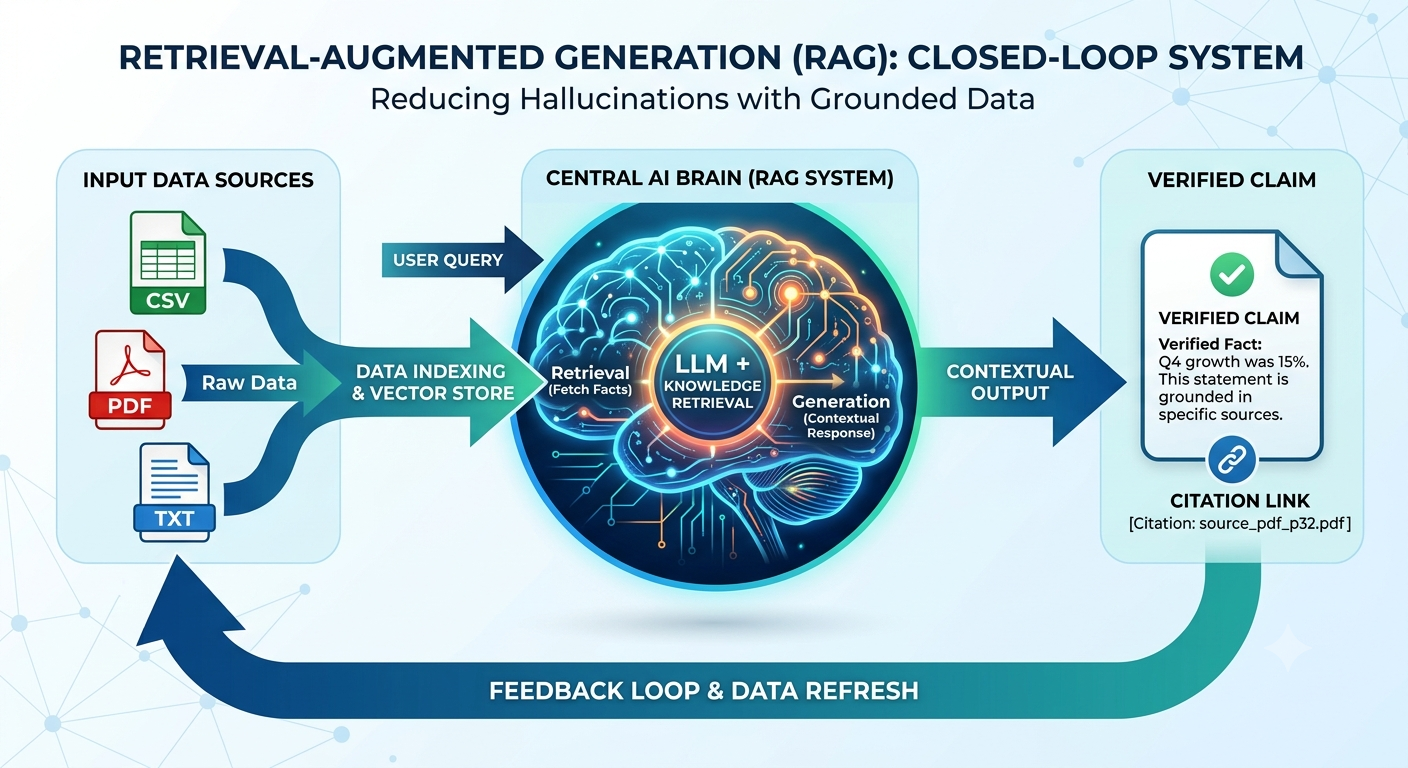
The transition from a general-purpose AI to a specialized research partner reached a milestone when Google rebranded its experimental NotebookLM as Gemini Notebook. While many users are familiar with the conversational "chat" experience of standard LLMs, Gemini Notebook represents a paradigm shift into source-grounded workspaces. It is not just a chatbot; it is a Retrieval-Augmented Generation (RAG) system mathematically bound to generate responses derived strictly from the explicit source files you provide.
To truly master this tool, whether you are a content creator looking to generate viral audio deep dives or a professional performing complex data analysis, you must move beyond basic "summarize this" requests. Pro-level results require a combination of Standing Directives, Native Code Execution, and Iterative Refinement.
The Foundation: Understanding Source Grounding
Unlike conventional AI models that rely on static parametric memory (the data they were trained on), Gemini Notebook operates in a closed loop. When you upload a source—be it a 500,000-word PDF, a YouTube transcript, or a complex spreadsheet—the model scans that specific context first. If a query addresses information outside your provided sources, the system is designed to explicitly state its lack of matching content, significantly reducing the hallucinations common in other models.
Setting the Stage with Custom Instructions
One of the most powerful features often overlooked is Custom Instructions (formerly known as Standing Directives). Each notebook allows you to define a persistent persona or set of rules of up to 10,000 characters. These instructions travel with the notebook, ensuring that every subsequent interaction follows your specific standards without needing to re-prompt the model every time.
For a professional data analyst, a custom instruction might include: "Always prioritize mathematical accuracy over narrative summary. If a claim is not supported by a numerical value in the sources, label it as 'Qualitative' rather than 'Quantitative'." [6]. For a content creator, it might be: "Maintain a grounded, informative tone. Forbidden words include 'game-changer,' 'revolutionary,' and 'amazing.' Always quote the original source before synthesizing."
1. The Professional Prompt: Leveraging Native Code Execution
The addition of a secure cloud computer to every notebook has transformed Gemini Notebook from a text reader into a computational agent. The model can now natively write and execute Python code to perform precise transformations on your sources. This is essential for professionals dealing with messy data or complex financial modeling.

The Weak Professional Prompt: "Summarize the trends in this CSV file."
The Pro-Level Prompt:
"Inspect the uploaded CSV and identify any schema issues, such as inconsistent date formats or missing values. Write and run Python code to clean the dataset, then calculate the 3-month rolling average for [Metric]. Generate a Matplotlib chart visualizing this trend and provide a table of the top 10 claims derived from this data, mapping each to its specific row in the source."
This approach uses the "iterative code execution loop," where the model writes code, reviews runtime logs, and automatically corrects failures up to five times before presenting you with a validated result. By asking for the underlying data and the code used to generate it, you ensure the output is verifiable and "ready to ship" to stakeholders.
2. The Creator’s Edge: Mastering the Multimedia Studio
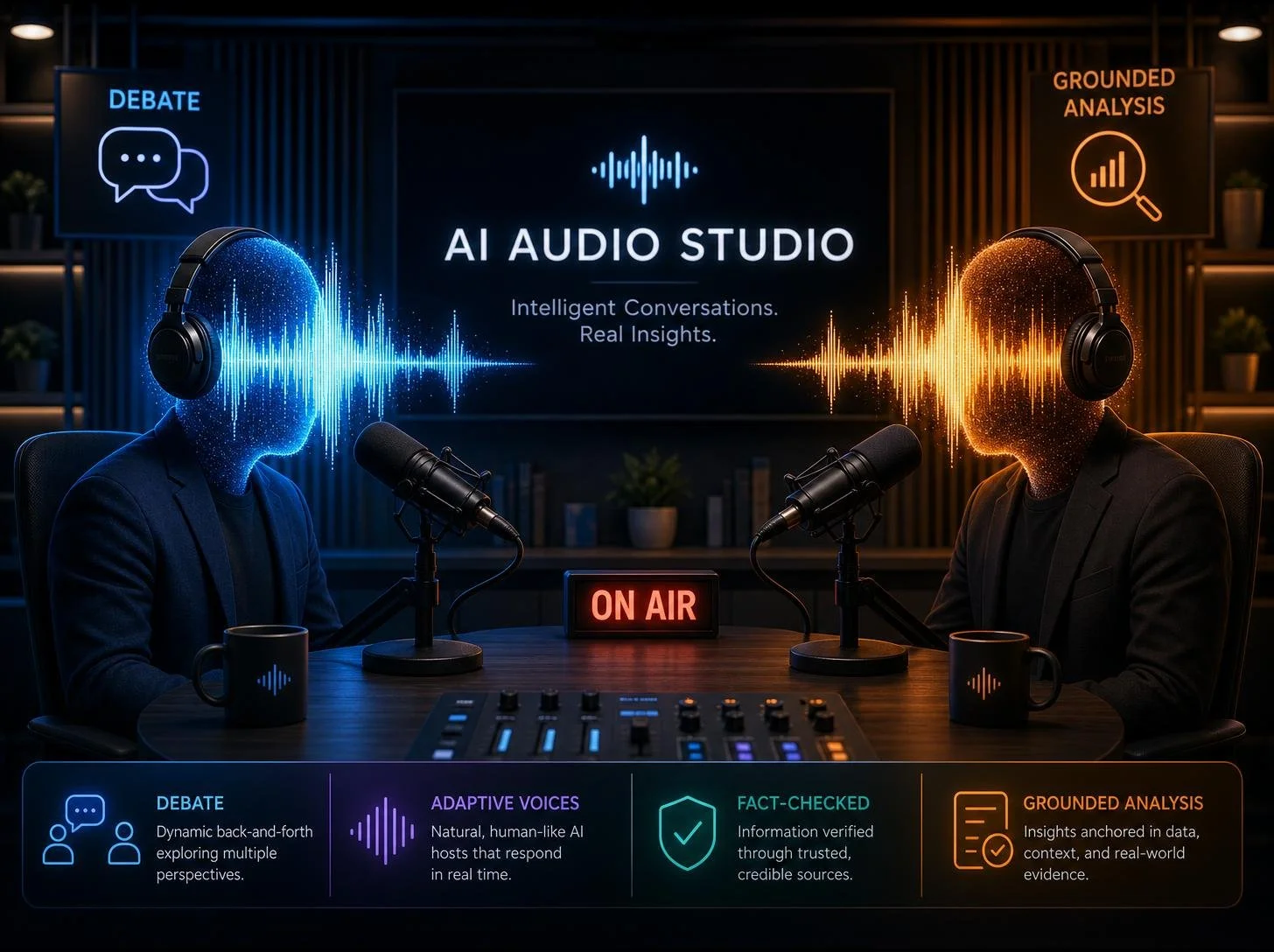
For content creators, Gemini Notebook is more than a research tool; it is a collaborative production studio. The viral Audio Overview feature has evolved into a sophisticated Audio Audio Studio, allowing you to transform dry text into engaging, human-sounding discussions. You can now go beyond the "magic" of the initial generation by using Interactive Mode, where you can join the conversation in real-time to ask clarifying questions or direct the AI hosts to focus on specific nuances.
The Weak Creator Prompt: "Make a podcast about these documents."
The Optimized Creator Prompt:
"Focus this Audio Overview on a debate format. AI Host A should represent the skeptical perspective found in Source 4, while AI Host B defends the findings in Source 1. Maintain a grounded, informative tone; never use hype words like 'amazing,' 'revolutionary,' or 'groundbreaking.' Ensure the listener understands the core methodology of the study before discussing the results".
This "Negative Prompting" strategy—telling the AI what not to do—is the secret to removing the distinctive "AI flavor" and ensuring your content sounds professional and objective.
The Hybrid Workflow: Local LLMs vs. Cloud Grounding
We are seeing a massive trend of enthusiasts and professionals moving toward Local LLMs—running AI models entirely on their own hardware for maximum privacy and offline control. If you are looking to set up a dedicated station for local AI, many are turning to the latest Mac Mini models. They serve as remarkably efficient, quiet local servers that can handle quantized models with ease.
However, Gemini Notebook offers a critical advantage that even the most powerful local setups often struggle with: massive context windows. While a local model might lose coherence after a single long book, Gemini Notebook can process up to 25 million words across 50 to 600 sources. For users on Workspace or Education accounts, Google provides enterprise-grade data protection, ensuring your uploads and chats are not used to train future models, giving you the privacy of a local setup with the compute power of the cloud.
Pro-Level Tips for Better Accuracy
To move from a casual user to a power user, incorporate these grounded prompting strategies derived from top research workflows:
- The "Index" Trick: Before asking for analysis, prompt the model to "Index the existing sources into a list of topic titles". Use those titles as a roadmap for individual "deep dive" questions.
- Explain > Summarize: Never ask the model to "summarize." Summarization often strips away the nuance. Instead, tell the model to "Explain" specific topics. This forces the AI to build a comprehensive logical structure rather than a shallow overview.
- The "Patience" Instruction: For complex analysis, include a directive like "Take your time researching. Dive deep, do not rush, and be patient in your analysis" in your Custom Instructions. This conceptual leeway often results in significantly more detailed and meticulously analyzed responses.
- Force Source Contradictions: One of the most powerful grounded prompts is: "Find the strongest contradictions across these sources. Show the conflicting claims, cite the passages, and explain what additional evidence would resolve the disagreement".
Conclusion: Your Collaborative Knowledge Partner
Gemini Notebook is a paradigm shift in how we interact with information. By moving away from general-purpose "chat" and toward source-grounded execution, you transform the AI from a simple bot into a programmatic research analyst. Whether you are calculating growth rates in a secure cloud computer or directing a high-fidelity audio deep dive, the quality of your output is mathematically bound to the quality of your prompt. Stop asking for text; start asking for analysis.
The Gemini Notebook Power User’s Library
To help you hit the ground running, here are three "Master Prompts" tailored for the roles we’ve discussed. You can copy and paste these directly into your Gemini Notebook chat or save them in your Custom Instructions.
For the Professional: The "Dirty Data" Analyst
Use this prompt when you upload a raw CSV or a messy spreadsheet to trigger the secure cloud computer.
For the Creator: The "Grounded" Audio Director
Use this in the "Customize" box of the Audio Overview to strip away the "AI hype" and ensure a professional delivery.
For the Outsider: The "Index" Deep Dive
If you have a massive pile of unstructured notes or transcripts, use this "trick" to force the AI to find every hidden gem.

Hardware Spotlight: Building Your Local AI Station
While Gemini Notebook provides the ultimate source-grounded experience in the cloud, many power users are supplementing their workflow with Local LLMs for total privacy and offline access. To run these models smoothly, you need efficient, high-performance hardware that doesn't sound like a jet engine on your desk.
The latest Mac Mini has become the gold standard for compact AI servers. With their unified memory architecture and industry-leading efficiency, they are perfect for hosting quantized models while you use Gemini Notebook for your heavy-duty research and multimedia generation.
Mastering Gemini Notebook isn't about learning a complex new language; it's about shifting your mindset from chatting to orchestrating. By using custom instructions and programmatic execution, you transform a simple notebook into a powerful extension of your own mind. Happy researching!